
Installation and refill instructions
Get your EZ-FLO installed and running in minutes. Quick-start video, step-by-step PDFs for every model and drawings for professional installs.
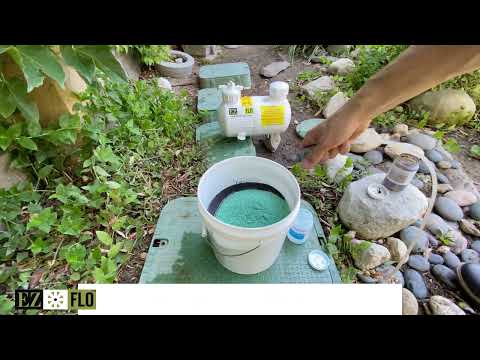 Quick start, 3 stepsPlay video: Quick start: fill and run in 3 steps
Quick start
Fill and run in three steps
- 1FillTurn off the water, open the fill port and add your fertilizer directly to the tank. No need to pre-mix.
- 2SetChoose your feed rate on the cap: slow for maintenance, fast for correction.
- 3RunTurn the water back on and water as usual. Check the clear tube for color to confirm it’s feeding.
Installation guides
Detailed PDFs for every current EZ-FLO. Print them or open them on your phone while you install.
- Main-line units (EZ-FLO-1)Instructions, PDF
- High capacity unitsInstructions, PDF
- EZKIT systemsInstructions, PDF
- Hi-FLO unitsInstructions, PDF
- EZ 2005-HB hose unitInstructions, PDF
- EZ 2020-HB hose unitInstructions, PDF
- EZ 1010-HB hose unitInstructions, PDF
- Coupling ball valveInstructions, PDF
- Flo-Disc kitInstructions, PDF
Older systems
Instructions for models we no longer make.
 First fill
PFK 1 All Purpose Premium Fill Kit (FM Landscape, Hydro-Maxx, Maxx Build)
Three products in one kit, ready to pour. One kit fills an EZKIT-1 and two fill an EZKIT-3. $100.00
8 lbs Ferti-Maxx Landscape: complete growth formula for lawns, gardens and landscapes
8 oz Hydro-Maxx wetting agent: helps water and nutrients penetrate deeper into soil
8 oz Maxx-Build supplement: builds soil health and locks in nutrients longer
Talk to our US-based team
- (866) 393-5601
- info@ezfloinjection.com
- Monday to Friday, 8 AM to 4 PM Pacific
Need another CAD file?
Planning a professional install? Most drawings have a .DWG download beside the PDF. For any other model, request the .DWG for AutoCAD, Revit or other design software and we’ll email it to you.
